

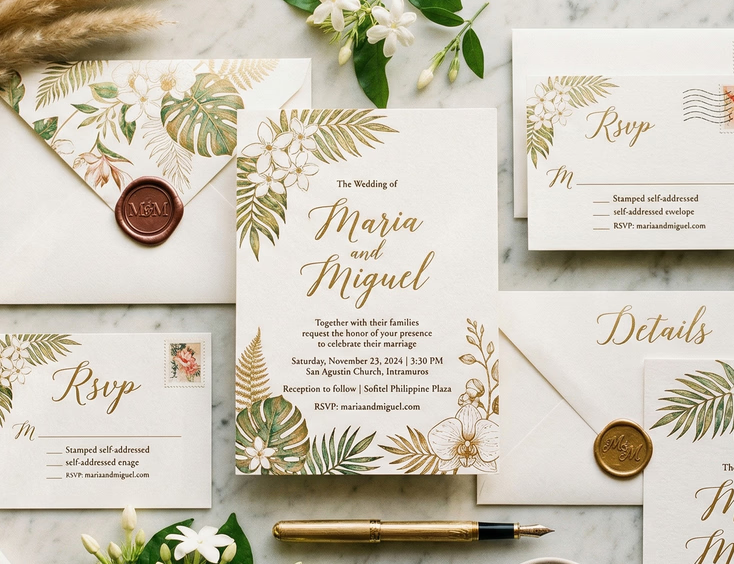
The Best Apps and Websites to Make Digital Wedding Invitations for Filipino Couples
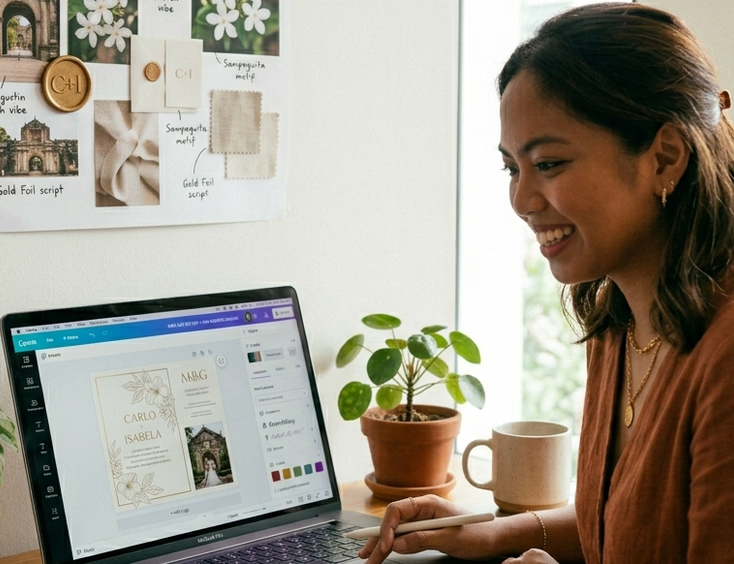
Filipino couples making digital wedding invitations face a specific problem: most of the popular tools are built for Western aesthetics, and the default templates lean toward styles that do not reflect a Filipino wedding's visual character or cultural context. The tools themselves are functional. The templates inside them often need significant customization before they produce something worth sending.
The apps and websites worth using are the ones that give you enough design control to move past the defaults, load reliably on Philippine internet speeds, and output files in formats that work across Viber, Messenger, email, and wherever else you plan to send them.
Canva
Canva is the most widely used design tool among Filipino couples making digital invitations, and the reasons are practical. The browser version works on any device with a stable connection. The mobile app handles basic editing without needing a desktop setup. The free tier covers enough functionality for a clean, complete digital invitation without requiring a paid subscription.
The wedding invitation templates in Canva's library number in the thousands, and the quality varies as much as the quantity. The templates designed for Filipino aesthetics are limited, but Canva's customization tools are strong enough to rework any template substantially. Changing fonts, colors, layout proportions, and replacing stock floral illustrations with locally relevant ones takes time but is achievable without advanced design skills.
Where Canva works well: Couples who want a designed-looking invitation without hiring a designer, and who are comfortable spending two to four hours customizing a template to fit their aesthetic and wedding details.
Where Canva falls short: Animation and motion are limited in the free tier. If you want a video invitation or a design with moving elements, Canva's free version does not produce results worth sending. The paid Canva Pro tier unlocks more, but the animation tools still sit below what dedicated video invitation platforms offer.
Output formats: Canva exports to PNG, JPG, and PDF for static invitations. MP4 export for animated designs requires Canva Pro. PNG and JPG files share cleanly on Viber and Messenger. PDF works better for email.
Pricing: Free tier covers most static invitation needs. Canva Pro runs approximately ₱450 to ₱600 per month or around ₱4,500 annually for Philippine accounts.
Adobe Express
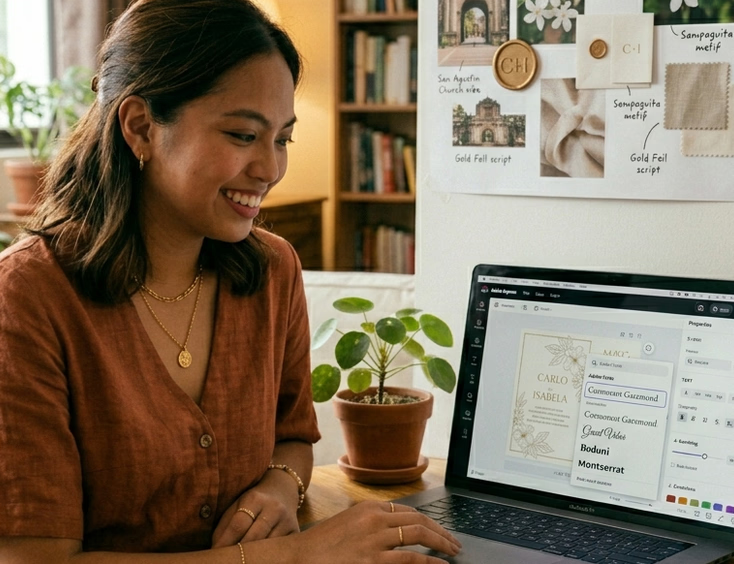
Adobe Express, formerly Adobe Spark, sits a step above Canva in design output quality for couples who have any familiarity with Adobe's interface conventions. The template library is smaller than Canva's but the templates trend toward cleaner, more considered layouts. The typography controls are stronger, which matters for invitation design where spacing and type hierarchy carry significant visual weight.
Adobe Express connects to Adobe Fonts, giving access to a wider typeface library than Canva's free tier offers. For couples who want a specific font pairing for their invitation that Canva does not carry, this connection is a practical advantage.
Where Adobe Express works well: Couples who have used any Adobe product before and want cleaner typographic control than Canva's free tier provides.
Where Adobe Express falls short: The free tier is more restricted than Canva's. Several features that Canva offers freely require an Adobe Express Premium subscription. If you are not already in the Adobe ecosystem, the learning curve does not justify the switch from Canva for a single invitation project.
Output formats: PNG, JPG, and PDF. No native video output in the free tier.
Pricing: Free tier available. Adobe Express Premium runs approximately ₱680 per month for Philippine accounts, or is included in Adobe Creative Cloud subscriptions.
Corjl
Corjl operates differently from Canva and Adobe Express. Instead of building your invitation from a template library within the platform, you purchase a pre-made invitation template from a designer on Etsy or a similar marketplace, and then edit the purchased template through Corjl's browser-based editor.
This model produces better-looking starting points than most Canva templates because the designs sold through Corjl are created by professional invitation designers rather than platform-generated templates. The customization interface is simpler than Canva's, which suits couples who want to edit details, names, dates, venue information, without rebuilding the design.
Where Corjl works well: Couples who find a template design they love and want to customize it cleanly without needing advanced design skills. The template purchase handles the design quality problem, and Corjl handles the editing.
Where Corjl falls short: You pay for the template separately from any Corjl subscription, and good invitation templates on Etsy typically cost USD 8 to USD 20. Filipino-specific designs in the Corjl ecosystem are rare. Most available templates use Western floral and typography conventions that require more substantial customization to feel Filipino.
Output formats: PNG, JPG, and PDF depending on the template designer's settings.
Pricing: No platform subscription required. Cost is the template purchase price from the designer's marketplace listing.
Templett
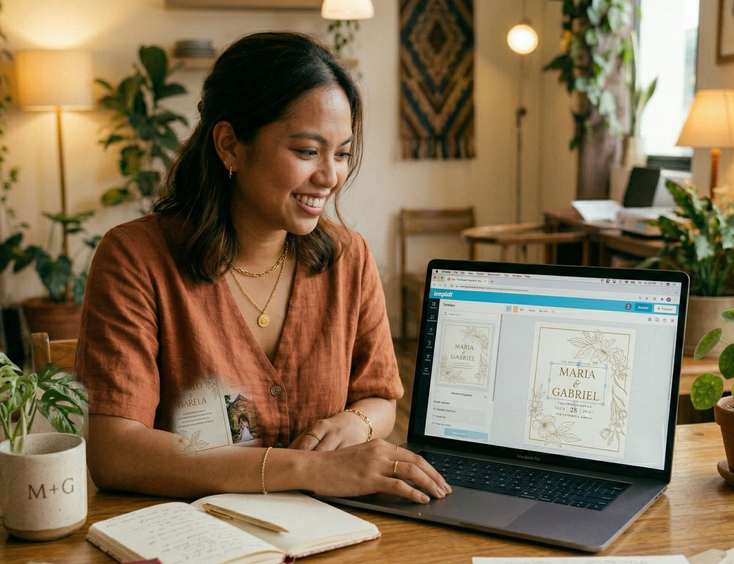
Templett functions similarly to Corjl: you purchase a template from a designer's marketplace listing and edit it through Templett's browser editor. The difference is in the template marketplace. Templett's associated designer community skews toward more contemporary and design-forward invitation aesthetics than the general Etsy-plus-Corjl pipeline.
Editing in Templett is slightly more intuitive for first-time users than Corjl's interface, and the platform handles font uploads more smoothly, which matters if you want to use a specific typeface purchased from a font foundry rather than a platform-standard option.
Where Templett works well: Couples who have found a specific template they want and whose designer distributes through Templett. Also suits couples who want to use a custom-purchased font in their invitation design.
Where Templett falls short: Same limitation as Corjl regarding Filipino-specific designs. The template selection is wider but still predominantly Western in aesthetic.
Output formats: PNG, JPG, and PDF.
Pricing: Template purchase price only. No platform subscription fee.
Kumu and Filipino-Specific Digital Tools
No dedicated Filipino wedding invitation platform currently exists with the scale of Canva or the template depth of Corjl. Filipino couples looking for culturally specific starting points have two practical options.
The first is commissioning a digital invitation design from a Filipino stationery designer who works in digital formats. Several Philippine-based invitation designers listed in stationery and invitation supplier directories offer digital invitation design as a service, producing a finished file the couple sends directly without using a template platform. This option costs more than a DIY template approach but produces a result tailored to Filipino aesthetics, regional motifs, and the couple's specific design brief.
The second is using Canva or Adobe Express with Filipino design references and building the customization from scratch rather than modifying a Western template. This takes longer but gives more control over the cultural visual language of the finished design. Couples who go this route benefit from sourcing Filipino illustration assets from local graphic designers on platforms like Gumroad or directly from designers' social media shops.
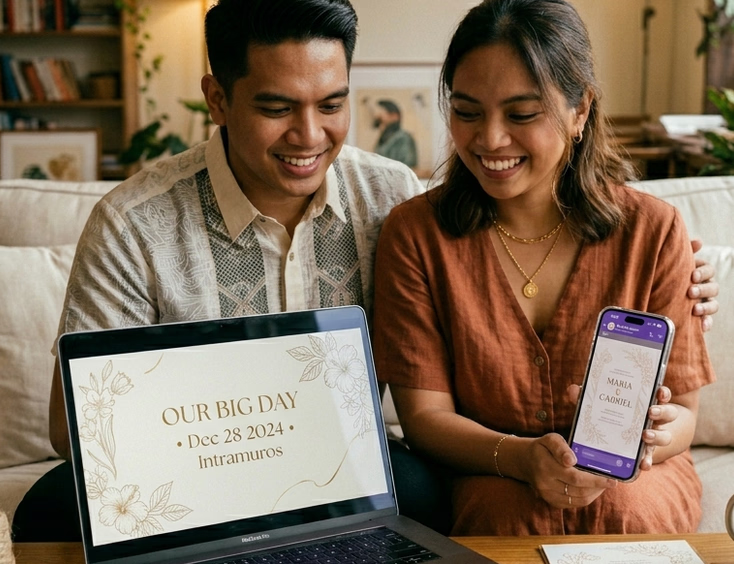
Video and Animated Invitation Tools
Static image invitations suit most Filipino couples' sending contexts. Viber, Messenger, and email all handle image files without compression issues that undercut design quality. Video invitations carry higher production expectations and work best for couples whose wedding has a cinematic or high-production aesthetic.
Animaker and Renderforest are the two most used video invitation tools among Filipino couples who want motion-based digital invitations. Both offer wedding-specific video templates that couples customize with their details, photos, and music. Both work through a browser without requiring video editing software.
Animaker's free tier produces video with a watermark. The paid tier starts at approximately USD 10 per month. Renderforest's free tier similarly watermarks output. Neither platform has Filipino-specific wedding templates, but the customization controls are sufficient to build something that reflects the couple's aesthetic without defaulting to the template's visual identity.
Canva's video templates are a simpler option for couples already working in Canva who want light animation rather than full video production. Short animated text reveals and simple motion effects are achievable in Canva Pro without the learning curve of a dedicated video platform.
What to Check Before You Send
Regardless of which platform you use, confirm these things before sending the finished file to guests.
File size on mobile. Open the finished invitation file on a mid-range Android phone, the device most Filipino guests use, and confirm it loads quickly and displays at the correct resolution. A file optimized for desktop viewing sometimes renders poorly on mobile screens with lower resolution displays.
Text legibility at small sizes. Wedding invitation text is small relative to most digital graphics. Zoom out on your finished design to simulate how it appears on a phone screen rather than a design monitor. If guest names, venue details, or RSVP information become difficult to read at phone scale, increase the type size before sending.
Color accuracy across devices. Colors shift between design platforms, desktop monitors, and mobile screens. A deep navy that looks correct in Canva may render as near-black on an older phone screen. Test on at least two different devices before committing to the final file.
Sending format by platform. Viber and Messenger compress image files above a certain size, which degrades print-quality designs. For platforms that compress, export at a slightly lower resolution than maximum to avoid the platform's automatic compression producing visible quality loss. For email, PDF preserves design integrity better than JPG for most invitation layouts.
For couples who have settled on a platform and need guidance on delivering digital invitations without losing the personal quality of a physical one, how to send wedding invitations via Viber, Facebook, and email without losing the personal touch covers the sending mechanics that keep digital invitations feeling individual rather than broadcast.
If you are still deciding whether digital invitations suit your guest list at all, digital wedding invitations in the Philippines covers where digital works without social friction and where a physical invitation remains the expected format. Paperless vs. printed wedding invitations covers the broader practical and social comparison between the two formats.
The complete resource for every Filipino wedding invitation decision sits in the complete guide to Filipino wedding invitations, covering design, wording, format, timing, and etiquette from a single place.
The platform matters less than what you do with it. A well-customized Canva design sent with a personal message reads better than an impressive video invitation blasted to a group chat. The tool is the starting point. The care you put into using it is what guests actually receive.
Still Searching for a Right Match?
Find Your Perfect Wedding Supplier Today!
Discover trusted wedding suppliers across the Philippines in our complete directory. Compare services and connect with the ones that fit your dream celebration.
Browse Wedding SuppliersFeatured Posts


The Complete Filipino Couple's Guide to Wedding Rings & Bands in the Philippines: Traditions, Styles, Budgets & Where to Buy
22 mins readWedding Reception Ideas that Honor Tradition and Wow Your Guests
4 mins readFilipino Wedding Dress Guide for Style Traditions and Smart Shopping
6 mins readFilipino Wedding Cost Guide - Realistic Budgets, Percentages, and Price Drivers by Region
9 mins readPhilippines Honeymoon Guide - Best Islands, Resorts, Costs & 7–14 Day Itineraries
9 mins readFilipino Wedding Games - Traditions, Modern Twists, and Crowd-Pleasers for Every Reception
8 mins read